
.jpg?sfvrsn=a74dfe1c_0 "FCCA-GBP_Thumbnail_536x400 (1)")
Features

Hold multiple foreign currencies
Choose from 16 major global currencies such as USD, GBP, AUD, SGD and more.

Non-profit bearing account-i
Maintain your foreign currency funds securely without profit rate fluctuations.

Own and manage multiple accounts-i via AmOnline App
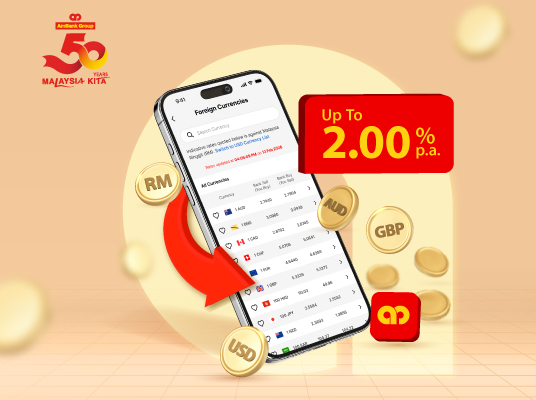
Open FCCA-i*, buy/sell foreign currencies at
live rate, manage different currency savings
anytime, anywhere.
Easy FX transfers and conversions
Move funds between your FCCA-i and your
AmBank Savings or Current Account/-i online
or at any branch. Plus, enjoy the convenience
of selected USD currency pairing.
Benefits
Diversify your wealth with
competitive rates
Spread your funds across global currencies
and take advantage of our competitive live
rates.

Hedge against currency
fluctuations
Reduce exposure to volatile exchange rates
when holding, receiving or making payments
in foreign currencies.
Digital convenience via
AmOnline App
Monitor balances, perform buy/sell FX and
access transaction history of all your FCCA-i
safely anytime via app.
| Download AmOnline App today | ||
 |  |  | |

Here is how to open FCCA-i via AmOnline App
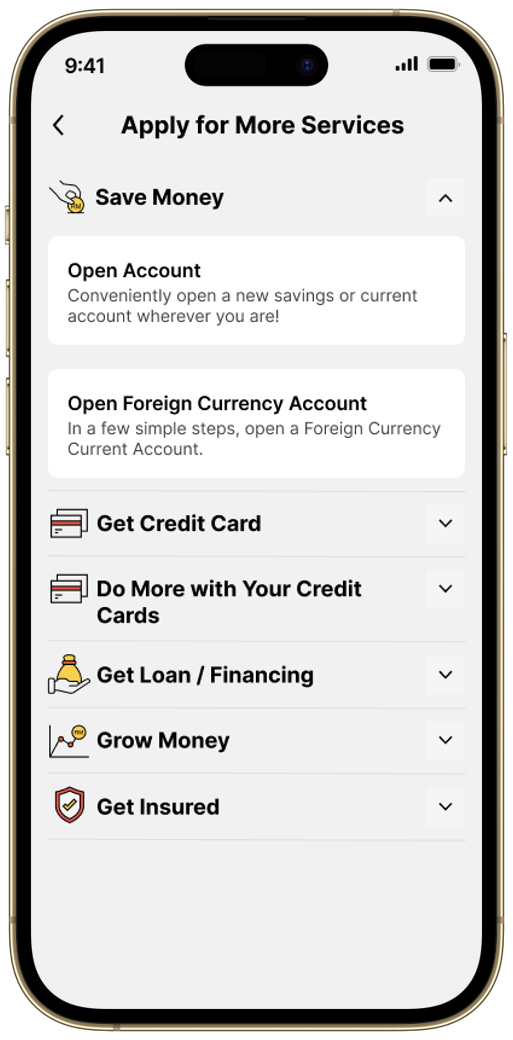 | 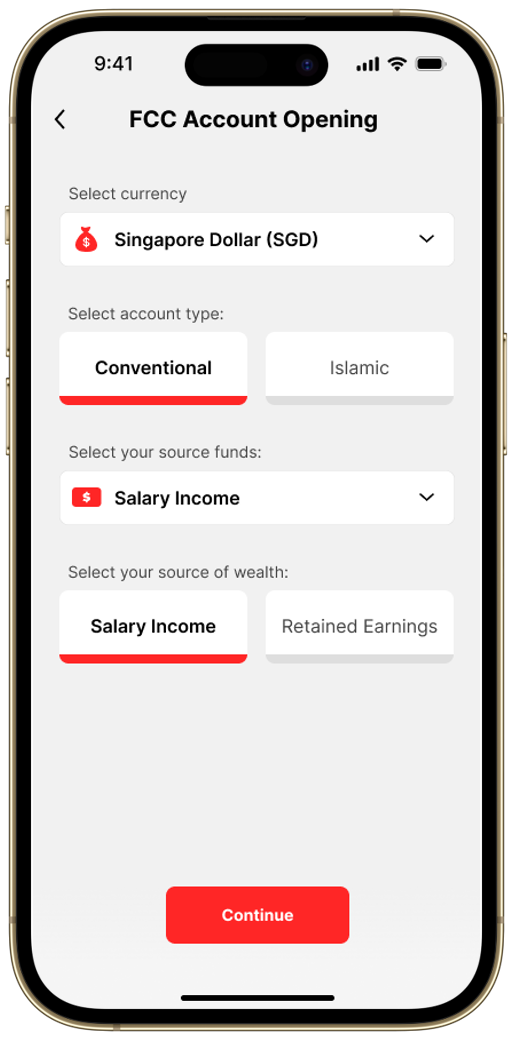 | 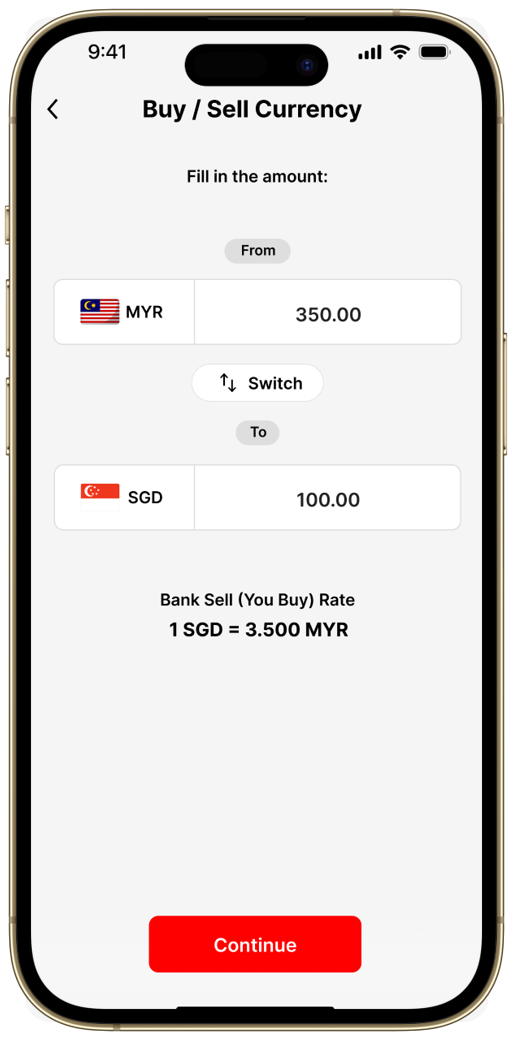 |
Step 1 Tap ‘Apply for More Services’ at your AmOnline App dashboard > ‘Open Foreign Currency Account’ under ‘Save Money’. | Step 2 Select your preferred currency for investment and follow the steps. | Step 3 After your new FCCA-i is opened successfully, you can enjoy exclusive foreign exchange rate via the app! |
Requirements
.png?sfvrsn=555ec6ea_2 "Icon (Stroke)")
Malaysians aged 18 and above
with a Malaysia Ringgit Savings or Current Account/-i
Other Information

Note:
- Foreign currency deposits are subject to fluctuation of foreign currency exchange rate against RM.
- FCCA-i is protected by PIDM up to RM250,000 for each depositor.
* The currencies available for FCCA-i opening via branches and the AmOnline App are as follows:
| Currencies | via Branches | via AmOnline App |
| US Dollar (USD) | ✓ | ✓ |
| Sterling Pound (GBP) | ✓ | ✓ |
| Australian Dollar (AUD) | ✓ | ✓ |
| Singapore Dollar (SGD) | ✓ | ✓ |
| Euro (EUR) | ✓ | ✓ |
| Japanese Yen (JPY) | ✓ | ✓ |
| New Zealand Dollar (NZD) | ✓ | ✓ |
| Hong Kong Dollar (HKD) | ✓ | ✓ |
| Canadian Dollar (CAD) | ✓ | ✓ |
| Chinese Renminbi Yuan (CNY) | ✓ | Not available |
| Brunei Dollar (BND) | ✓ | Not available |
| Indonesia Rupiah (IDR) | ✓ | Not available |
| Swedish Krona (SEK) | ✓ | Not available |
| Swiss Franc (CHF) | ✓ | Not available |
| Thai Baht (THB) | ✓ | Not available |
| Saudi Riyal (SAR) | ✓ | Not available |